AGENTS.md: A Rulebook for Your AI Agent
An AI coding agent is only as good as the context you give it. Point Cursor, Claude Code, or Codex at a repository with no guidance and it does the one thing you don't want: it guesses. It reaches for the latest framework idiom that doesn't match your version, reinvents a helper you already have, and quietly ignores conventions your team spent months settling. The fix isn't a better prompt — it's one small file at the root of your repo: AGENTS.md. Here's what it is, what to put in it, and how to write one that makes agents produce correct, on-convention code instead of confident nonsense.
What Is an AGENTS.md File?
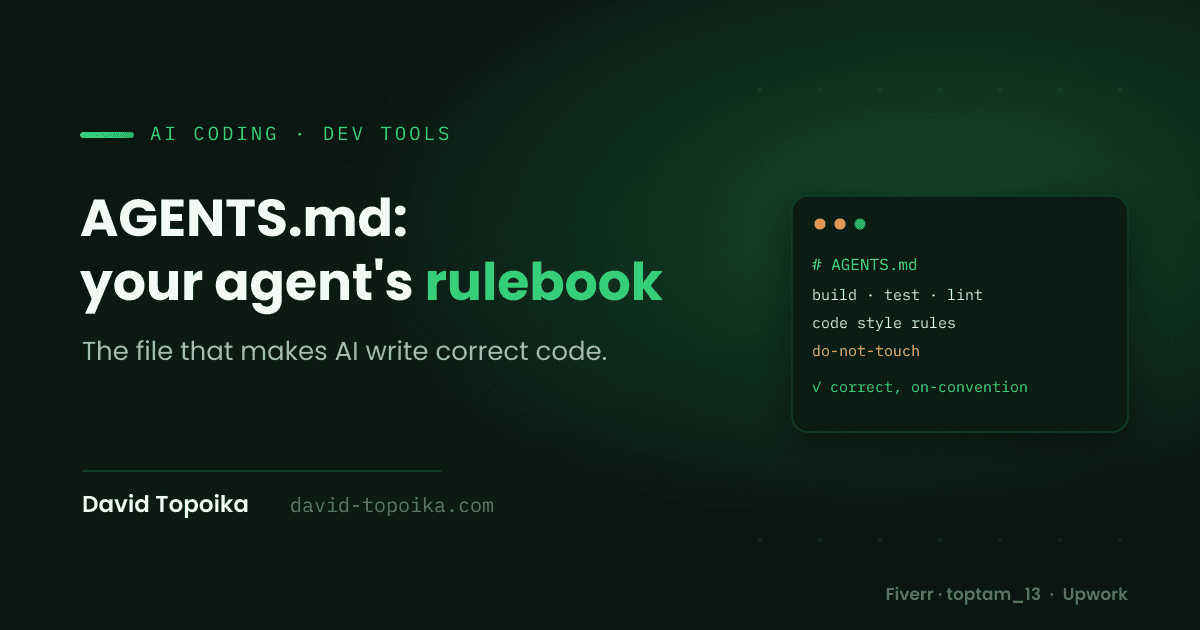
An AGENTS.md file is an open, plain-Markdown file placed at the root of your repository that gives AI coding agents the project-specific context they need — build and test commands, code style, architecture, conventions, and "do not touch" boundaries — so they write correct, convention-aligned code instead of guessing. Think of it as a README written for machines rather than humans.
It's not a vendor gimmick. AGENTS.md is a community-driven open standard, stewarded by the Linux Foundation's Agentic AI Foundation, that's now present in more than 60,000 repositories and read natively by over 20 coding tools. If you use agents at all, this is the file that decides whether they help or keep surprising you.
Why AI Coding Agents Give Wrong Answers Without Context
Large language models carry broad general knowledge, but they don't know your project — its stack versions, its patterns, its history, its gotchas. Worse, they're effectively stateless between sessions: an agent that learned your conventions yesterday starts today with a blank slate. Left to fill that gap, it defaults to the statistical average of everything it saw in training, which is almost never your codebase.
That's how you get an agent adding a second HTTP client when you already standardised on one, using React patterns from a version you're not on, or scaffolding a folder structure that fights your architecture. Without curated context, your repository is treated as context-free, and you end up re-typing the same setup into every prompt. This is the same gap I wrote about in why AI-built MVPs still need real engineering — AI is fast at the generic 80%, but "generic" is exactly the problem when your project has specifics. AGENTS.md is how you hand those specifics over once, permanently.
Which AI Coding Tools Read AGENTS.md
The reason AGENTS.md matters more than any single tool's config file is coverage. It was proposed by OpenAI in 2025, co-promoted by Google, Cursor, Factory, Sourcegraph, JetBrains, and Anthropic, and donated to the Linux Foundation in December 2025. As of 2026 it's read natively by OpenAI Codex, Cursor, Claude Code, GitHub Copilot, Gemini CLI, Aider, Windsurf, Zed, Devin, Google Jules, Amazon Q, and JetBrains AI Assistant, among others.
That's the win: one file, every agent. Instead of maintaining .cursorrules, a
Copilot instructions file, and a Claude config separately — and watching them
drift apart — you write conventions once and every tool that touches the repo
reads the same source of truth.
What to Put in an AGENTS.md File
There's no required schema — it's plain Markdown, and you pick whatever headings fit your project. But a few sections earn their place in almost every repo. Here's a practical example for a typical Next.js/Node stack:
# AGENTS.md

## Project overview

Next.js 15 (App Router) + TypeScript. Backend is Node/Express with
PostgreSQL via Prisma. Deployed on a VPS behind Nginx.

## Setup & commands

- Install: `npm install`
- Dev server: `npm run dev`
- Tests: `npm test` (Jest) and `npm run e2e` (Playwright)
- Lint & format: `npm run lint` — MUST pass before you consider a task done

## Code style

- TypeScript strict mode; no `any`.
- Functional React components with hooks only.
- Tailwind for styling — do NOT add CSS modules or styled-components.
- Validate every external input with Zod.

## Architecture

- App Router only. There is no /pages directory — don't create one.
- All database access lives in /lib/db. Never query the DB from a component.
- API routes return typed responses.

## Conventions

- Conventional Commits (feat:, fix:, chore:).
- Co-locate tests: `Thing.test.ts` next to `Thing.ts`.

## Do not touch

- Never hand-edit /prisma/migrations or anything in /generated.
- Don't add a dependency without noting why in the PR description.
The most valuable section is the one people skip: commands the agent can actually run. Give it the exact build, test, and lint commands, and a capable agent will run them to verify its own work before handing it back — which is the single biggest lever on output correctness. An agent that can lint and test what it wrote catches its own mistakes; one that can't just hopes.
AGENTS.md Best Practices for Accurate AI Output
A file existing isn't the same as a file that helps. A few habits make the difference:
Be specific and prescriptive
"Write clean code" does nothing. "Use Zod for all input validation; never use
any; put DB access in /lib/db" is enforceable. The more concrete the rule, the
more reliably an agent follows it.
Include runnable verification commands
As above — list the test and lint commands explicitly so the agent can check itself. This turns AGENTS.md from documentation into a feedback loop.
The difference is stark in practice. Without commands, an agent finishes a task,
declares success, and hands you code that doesn't compile — because it never ran
anything. With npm test and npm run lint spelled out in the file, the same
agent runs them, sees the failing type error or the lint violation, fixes it, and
only then reports back. You've effectively given it the ability to fail
privately and correct itself, instead of failing publicly in your review. On
agent tasks of any real size, that one section catches more mistakes than every
style rule in the file combined.
State version-specific facts
Models drift toward the most common patterns in their training data, which may be older than your stack. Spelling out "Next.js 15, App Router, React 19" stops the agent from confidently using last year's idioms.
List what NOT to do
A short "do not touch" section prevents the most damaging surprises — an agent rewriting generated files, hand-editing migrations, or swapping your libraries. Forbidding patterns is often higher-value than prescribing them.
Keep it curated, not exhaustive
AGENTS.md competes for the agent's context window. A tight, high-signal file beats a sprawling one — if everything is important, nothing is. Trim it as aggressively as you'd review code.
Nest it in monorepos
Agents read the nearest AGENTS.md, walking up from the file they're working on. In a monorepo, put a root file for shared rules and a per-package file for local ones, and each package gets exactly the context that applies to it.
AGENTS.md vs README vs CLAUDE.md
These overlap, so it's worth being clear on roles. README.md is for humans — what the project is, how to run it, how to contribute. AGENTS.md is the operational context agents need that doesn't belong in a human-facing readme: commands, conventions, boundaries. They complement each other; you keep both.
CLAUDE.md is Claude Code's own native instruction file, and other tools have
had their own (.cursorrules, copilot-instructions.md). The clean pattern that
teams are converging on in 2026 is to consolidate everything into AGENTS.md and
slim the tool-specific files down to a single pointer — a one-line CLAUDE.md that
just references @AGENTS.md — so every agent inherits the same instructions
without duplication. One source of truth, no drift.
The Takeaway
The quality of AI-generated code is downstream of the context the agent starts with. An AGENTS.md file is the cheapest, highest-leverage way to improve that context: a single Markdown file that turns a guessing agent into one that knows your build commands, respects your conventions, verifies its own work, and stays out of the files it shouldn't touch. It takes twenty minutes to write and it pays back on every task, in every tool, for the life of the repo. If you're working with AI agents and not writing one, you're leaving correctness on the table.
Building with AI and want it done right?
Getting real, production-grade output from AI coding tools — the right context, the right guardrails, the right review — is a big part of how I build. If you're adding AI to your workflow or your product and want it to actually hold up, see what I do or get in touch, or find me on Fiverr and Upwork.