Integrating M-Pesa into a Node.js Backend
Most M-Pesa integrations break in the same place: the developer treats the STK push response as proof of payment. It isn't. Getting M-Pesa right in a Node.js backend is less about the happy path and more about the callback — the part that actually tells you money moved.
How do you integrate M-Pesa into a Node.js backend?
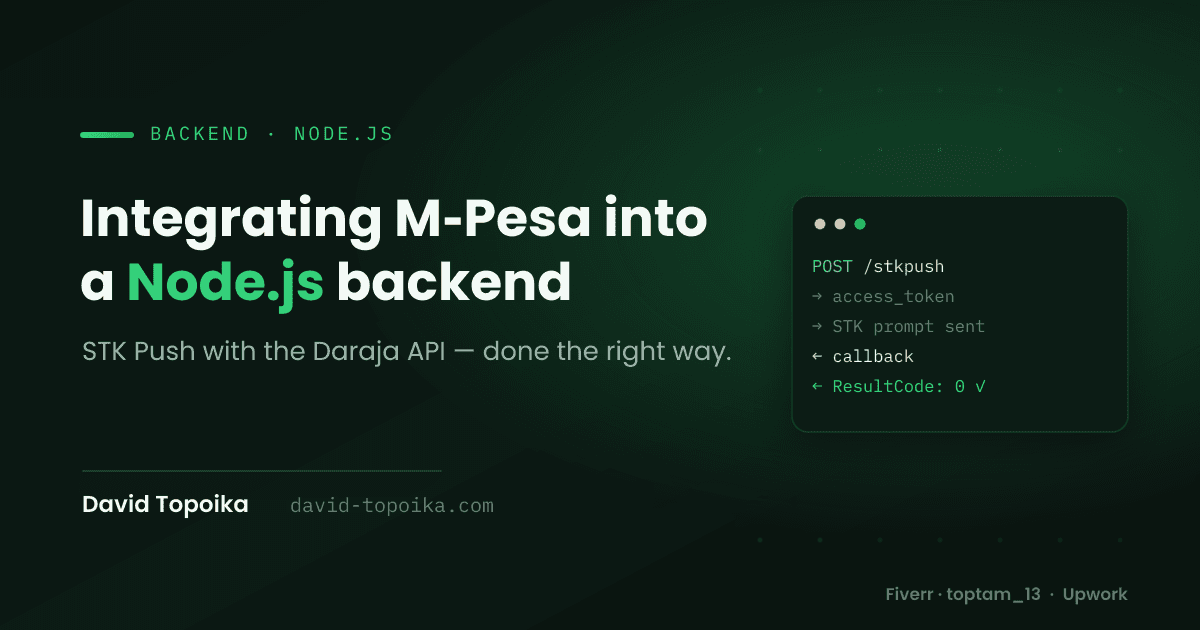
You integrate M-Pesa in Node.js through Safaricom's Daraja API in three steps: request an OAuth access token with your consumer key and secret, send an STK Push request to prompt the customer for their PIN, then confirm the payment from the callback Safaricom sends to your server — never from the initial response.
The initial STK Push call only tells you the prompt was sent. Whether the customer entered their PIN, had funds, or cancelled is answered later, when Safaricom POSTs a result to your callback URL. Build around that and everything else falls into place.
Step 1: Get an access token
Every Daraja request needs a bearer token. You get one by sending your consumer key and secret (from the Daraja developer portal) as Basic auth:
import axios from "axios";

const BASE = "https://sandbox.safaricom.co.ke"; // api.safaricom.co.ke in production

async function getAccessToken() {
  const auth = Buffer.from(
    `${process.env.MPESA_CONSUMER_KEY}:${process.env.MPESA_CONSUMER_SECRET}`,
  ).toString("base64");

  const { data } = await axios.get(
    `${BASE}/oauth/v1/generate?grant_type=client_credentials`,
    { headers: { Authorization: `Basic ${auth}` } },
  );

  return data.access_token; // valid ~3600s
}
The token is valid for about an hour, so cache it — don't request a fresh one on every transaction. A simple in-memory cache with an expiry timestamp (or Redis if you run multiple instances) saves you a needless round-trip on every payment.
Step 2: Trigger the STK Push
This is the call that makes the customer's phone buzz with a PIN prompt. Two
fields trip people up: the Timestamp and the Password, which is a base64
hash of your shortcode, passkey, and that exact same timestamp.
function timestamp() {
  const d = new Date();
  const p = (n) => String(n).padStart(2, "0");
  return `${d.getFullYear()}${p(d.getMonth() + 1)}${p(d.getDate())}${p(
    d.getHours(),
  )}${p(d.getMinutes())}${p(d.getSeconds())}`;
}

async function initiateStkPush({ phone, amount, accountRef }) {
  const token = await getAccessToken();
  const ts = timestamp();
  const shortcode = process.env.MPESA_SHORTCODE;
  const password = Buffer.from(
    `${shortcode}${process.env.MPESA_PASSKEY}${ts}`,
  ).toString("base64");

  const { data } = await axios.post(
    `${BASE}/mpesa/stkpush/v1/processrequest`,
    {
      BusinessShortCode: shortcode,
      Password: password,
      Timestamp: ts,
      TransactionType: "CustomerPayBillOnline",
      Amount: amount, // integer KES — no decimals
      PartyA: phone, // 2547XXXXXXXX
      PartyB: shortcode,
      PhoneNumber: phone,
      CallBackURL: `${process.env.BASE_URL}/api/mpesa/callback`,
      AccountReference: accountRef,
      TransactionDesc: "Payment",
    },
    { headers: { Authorization: `Bearer ${token}` } },
  );

  return data; // includes CheckoutRequestID — store it, but it is NOT payment confirmation
}
Note the phone format: 2547XXXXXXXX, no + and no leading 0. Normalize
whatever the user types before it reaches this function. Store the returned
CheckoutRequestID against your order — you'll match the callback to it.
Step 3: Handle the callback (where it actually counts)
Safaricom POSTs the result to your CallBackURL. Acknowledge it immediately
with a 200 so Safaricom doesn't retry, then process:
app.post("/api/mpesa/callback", (req, res) => {
  // Ack fast, before any DB work, so Safaricom doesn't resend
  res.status(200).json({ ResultCode: 0, ResultDesc: "Received" });

  const cb = req.body?.Body?.stkCallback;
  if (!cb) return;

  if (cb.ResultCode === 0) {
    const meta = Object.fromEntries(
      cb.CallbackMetadata.Item.map((i) => [i.Name, i.Value]),
    );
    // meta.MpesaReceiptNumber, meta.Amount, meta.PhoneNumber, meta.TransactionDate
    // Mark the order paid — idempotently, keyed on cb.CheckoutRequestID
  } else {
    // Failed or cancelled — cb.ResultDesc explains why
  }
});
Two things make this production-safe. First, idempotency: key your "mark as
paid" logic on CheckoutRequestID so a duplicate callback can't double-credit
an order — I go deeper on exactly how to guarantee this in how to prevent
double payments. Second,
your callback URL must be publicly reachable over HTTPS — localhost
won't work. In development, tunnel it with ngrok; in production, it's a real
HTTPS endpoint.
Gotchas I've learned the hard way
- The STK response is not confirmation. Only
ResultCode: 0in the callback (or a Transaction Status query) means money actually moved. Never fulfil an order on the initial response. - Cache the access token. It lasts ~an hour; regenerating per request is wasted latency.
- Timestamp and password must agree. The password hashes the same timestamp you send — generate it once, use it in both.
- Timeouts happen. Customers ignore the prompt. Handle the "no response" case; don't leave orders stuck in "pending" forever.
- Sandbox first. Test the whole loop on sandbox credentials before switching the base URL and shortcode to production.
Always confirm the exact field names and endpoints against the current official Daraja documentation before going live — credentials and shortcodes are per-account, and the docs are the source of truth.
Need M-Pesa built into your app or backend?
Payment integrations are unforgiving — a small mistake means a customer is charged and your system never knows. I've integrated M-Pesa into production Node.js backends and mobile apps, callbacks and edge cases included. If you want it done right the first time, reach out, or find me on Fiverr and Upwork.