Push Notifications in Flutter with FCM: Guide
Push notifications are one of those features that look like a checkbox and turn into a week. The Flutter code is small; the platform details — APNs, permission prompts, Android channels, and what happens when the app is dead — are where the time goes. This is the practical setup I use to get Firebase Cloud Messaging working end to end in a Flutter app, and the gotchas worth knowing before you hit them.
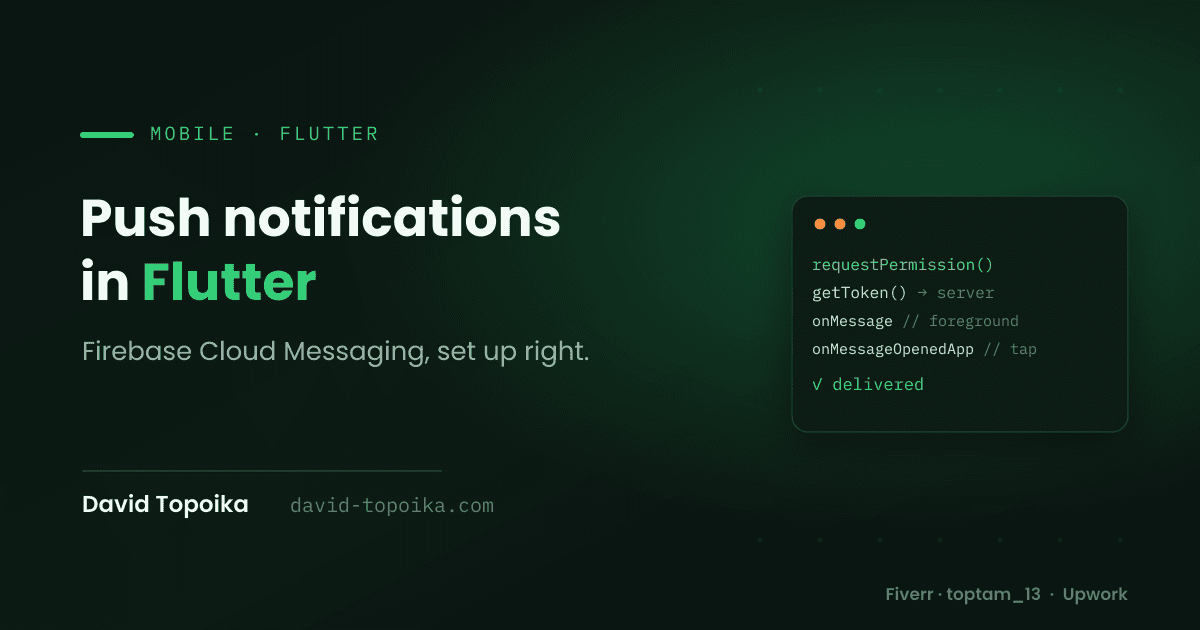
In short: add firebase_messaging, request permission, grab the device token
and store it server-side, then wire three listeners — foreground, background,
and notification-tap — and let a data payload drive deep links. The rest is
handling the platform edges cleanly.
Why FCM is still the default choice for push in Flutter apps
Firebase Cloud Messaging is the path of least resistance for Flutter push, and
for good reasons. It's cross-platform out of one API — FCM talks to APNs under
the hood on iOS and to its own transport on Android, so you write one Dart
integration instead of two native ones. It's first-party: the FlutterFire
firebase_messaging plugin is maintained alongside the rest of Firebase, so it
tracks OS changes reasonably well. It's free at the volumes most apps care
about, it handles device tokens and topic subscriptions for you, and it slots in
next to the Firebase services many Flutter apps already use.
There are alternatives — OneSignal, or going fully native — but unless you have a specific reason, FCM is the baseline every Flutter dev should know. It's the approach behind the push notifications in MyChurch App, where getting an announcement to reliably reach a congregation was the whole point.
Setting up Firebase and registering device tokens (iOS + Android gotchas)
Add firebase_core and firebase_messaging, run flutterfire configure to
generate firebase_options.dart, and initialize Firebase before you touch
messaging. Then request permission and read the token:
final messaging = FirebaseMessaging.instance;
await messaging.requestPermission(alert: true, badge: true, sound: true);

final token = await messaging.getToken();
if (token != null) await sendTokenToServer(token);
The gotchas live on each platform:
iOS needs real push plumbing before a token will ever arrive. Upload an APNs
authentication key (.p8) to your Firebase project, enable the Push
Notifications and Background Modes → Remote notifications capabilities in
Xcode, and test on a physical device (simulator support is recent and finicky).
Without the APNs key, getToken() silently gives you nothing.
Android since API 33 (Android 13) requires the runtime
POST_NOTIFICATIONS permission — requestPermission() handles the prompt on
current plugin versions, but if you skip it, notifications just never show and
nothing errors. Make sure google-services.json is in place and define a
default notification channel (more on that below).
Handling foreground vs. background vs. terminated-state notifications
This is the part that trips people up, because FCM behaves differently depending on app state and message type.
A notification message (one with a notification block) is drawn
automatically by the OS in the system tray when your app is backgrounded or
terminated. A data message (payload under data) is always delivered to
your code so you control everything — but on iOS it needs content-available
and has delivery limits. Most real apps send both: a notification block for
the tray, plus data for routing.
Your code hooks three states:
// Background & terminated: MUST be a top-level or static function,
// marked as an entry point — it runs in its own isolate.
@pragma('vm:entry-point')
Future<void> _bgHandler(RemoteMessage message) async {
  await Firebase.initializeApp(options: DefaultFirebaseOptions.currentPlatform);
  // keep this light; the isolate is short-lived
}

FirebaseMessaging.onBackgroundMessage(_bgHandler);
FirebaseMessaging.onMessage.listen((m) { /* foreground — see below */ });
FirebaseMessaging.onMessageOpenedApp.listen(_handleTap); // tapped from background
The catch that surprises everyone: foreground messages are not shown
automatically. When the app is open, onMessage fires but nothing appears on
screen — you display it yourself, usually with flutter_local_notifications. On
iOS you also call setForegroundNotificationPresentationOptions(alert: true, …)
if you want the system banner while foregrounded.
Storing and refreshing device tokens server-side without duplicate sends
A device token is the address you send to, and getting the storage wrong is what produces the classic bug: a user gets the same notification twice (or five times). The fix is the same discipline I use for payments — let the database be the guarantee, not your app logic.
Store one row per token with a unique constraint on the token itself, linked to the user and device. That single constraint kills most duplicate sends: the same token can't be stored twice. Then keep it fresh:
- Tokens rotate. Listen to
onTokenRefreshand upsert the new one so your server never holds a stale address. - On logout, delete that device's token — otherwise the next user on a shared phone gets the previous user's pushes.
- Prune dead tokens. When you send, FCM tells you which tokens are
registration-token-not-registered; delete those so you stop paying to message uninstalled apps.
messaging.onTokenRefresh.listen(sendTokenToServer); // upsert on the serverA user with three devices has three tokens, and you send to all of them — that's not a duplicate, that's correct. Duplicates come from stale or doubly-stored tokens, and the unique constraint plus pruning is what prevents them.
Deep-linking a notification tap to the right screen
A notification that dumps the user on the home screen wastes the tap. Put the
destination in the message's data payload — say { "route": "/events/42" } —
and route on it. Two entry points matter, for two app states:
void _handleTap(RemoteMessage message) {
  final route = message.data['route'];
  if (route != null) navigatorKey.currentState?.pushNamed(route);
}

// App was backgrounded, then the user tapped:
FirebaseMessaging.onMessageOpenedApp.listen(_handleTap);

// App was fully terminated, launched by the tap — check once on startup:
final initial = await FirebaseMessaging.instance.getInitialMessage();
if (initial != null) _handleTap(initial);
Forgetting getInitialMessage() is the common miss — without it, taps that
cold-start the app land nowhere. If you use go_router, resolve the route
through the router instead of a raw navigator key.
Common pitfalls — iOS permission prompts, Android channels, token expiry
A quick field guide to the things that eat afternoons:
- iOS permission timing. Ask at a moment the user understands why, not on first launch. Once a user denies, you can't re-prompt in-app — they have to enable it in Settings, and most won't.
- Android notification channels. On Android 8+, a heads-up notification needs a channel. Create one with
flutter_local_notificationsand declare a default channel in the manifest, or your notifications arrive silently with no banner. - Token expiry. Never treat a token as permanent or cache it forever. Rely on
onTokenRefresh, and handle the not-registered error server-side. - The background handler. It must be top-level (not a class method) and marked
@pragma('vm:entry-point'), or it won't run in release builds. - "It works in the foreground but not when closed." Usually a missing
notificationblock (data-only on iOS) or a background handler that isn't wired correctly.
Minimal code snippet — initializing FCM and handling a foreground message
Here's the whole thing wired together — initialization, permission, token, and the foreground listener — as a starting point you can drop in and grow:
import 'package:firebase_core/firebase_core.dart';
import 'package:firebase_messaging/firebase_messaging.dart';
import 'firebase_options.dart';

@pragma('vm:entry-point')
Future<void> _bgHandler(RemoteMessage message) async {
  await Firebase.initializeApp(options: DefaultFirebaseOptions.currentPlatform);
}

Future<void> main() async {
  WidgetsFlutterBinding.ensureInitialized();
  await Firebase.initializeApp(options: DefaultFirebaseOptions.currentPlatform);
  FirebaseMessaging.onBackgroundMessage(_bgHandler);
  await _setupPush();
  runApp(const MyApp());
}

Future<void> _setupPush() async {
  final messaging = FirebaseMessaging.instance;

  await messaging.requestPermission(alert: true, badge: true, sound: true);
  await messaging.setForegroundNotificationPresentationOptions(
    alert: true, badge: true, sound: true, // iOS foreground banner
  );

  final token = await messaging.getToken();
  if (token != null) await sendTokenToServer(token);
  messaging.onTokenRefresh.listen(sendTokenToServer);

  FirebaseMessaging.onMessage.listen((message) {
    final n = message.notification;
    if (n != null) {
      // show it yourself, e.g. via flutter_local_notifications
      debugPrint('Foreground: ${n.title} — ${n.body}');
    }
  });
}
For the full API surface — payload formats, topic messaging, and the server SDK for sending — the official Firebase Cloud Messaging docs are the reference to keep open.
Want push done right in your Flutter app?
Push is easy to make work in a demo and easy to get subtly wrong in production — duplicate sends, dead tokens, taps that go nowhere. I build and debug FCM into Flutter apps regularly, server side included. If you want it working reliably the first time, reach out, or find me on Fiverr and Upwork.